
If the front reads correctly but the back is upside down when you turn the sheet, check the duplex binding edge before rotating pages in the artwork. The printer may be preparing the back for a different way of turning the paper.
“Double-sided” says that both faces will be printed. It does not, by itself, say which edge the reader will turn around.
Start with the turn, then name the edge
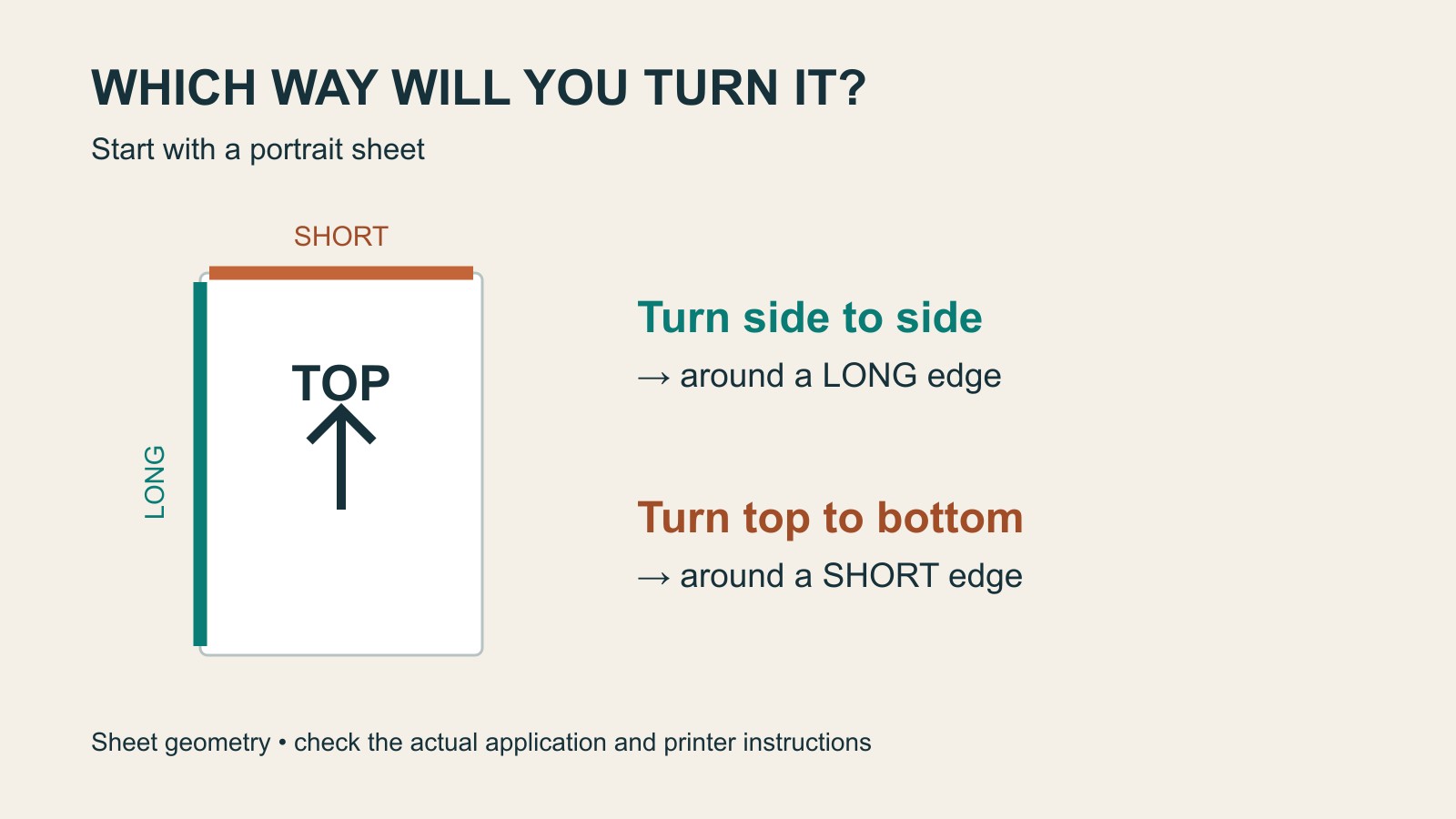
Hold a portrait sheet upright. Its left and right edges are the long edges. Its top and bottom are the short edges. Turn it from right to left, like a normal book page, and you turn around a long edge. Lift the bottom upwards, like a top-bound pad, and you turn around a short edge.
Now hold the sheet in landscape orientation. The top and bottom are the long edges. A side-to-side turn is now around a short edge. This is why “long edge means book” can be a confusing shortcut when the page changes orientation.
| Page orientation | Side-to-side turn | Top-to-bottom turn |
|---|---|---|
| Portrait | Long edge | Short edge |
| Landscape | Short edge | Long edge |
These are the geometric relationships between the sheet and the turn. The application’s preview and the printer’s documentation still matter. Do not mistake a binding-edge name for a universal instruction about which way to load paper.
Find the control that belongs to your printer
The option may be called two-sided printing, duplex, binding or flip edge. Even one manufacturer can use different labels across drivers: OKI’s duplex instructions distinguish Windows PCL, Windows PostScript and Mac controls. Their paper limits apply to the documented equipment, not every printer.
Write the requirement in ordinary language before translating it into a setting: “Portrait instruction sheet, back upright when turned from right to left.” That sentence is also useful when asking a print provider to prepare the job. It describes the finished reading experience rather than guessing a machine setting.
Keep four different problems separate
Upside-down back: check the intended turn and binding edge. Wrong page on the back: investigate page order and page selection. Content visibly rotated in the file: ask for the page orientation to be checked. Folded booklet: confirm the imposed arrangement and binding with the person preparing it.
Those distinctions prevent a tidy-looking “fix” in one place from compensating for an unrelated mistake elsewhere. Rotating page two in the source may suit one particular output setup while leaving a confusing master for the next job.
A document containing both portrait and landscape pages needs particular care. Microsoft documents a single binding setting across mixed-orientation jobs in Word 2010 and Word 2013. That is version-specific evidence, not a claim that every current application behaves identically.
Describe what the reader should receive
For a two-sided handout, record the finished orientation, the intended turn, front/back order and any deliberately blank faces. For a folded publication, add the fold and binding requirements. Our separate booklet page-count guide explains why folded sheets and reader pages are different counts.
If you are arranging document printing, send the reader-order file and explain how the finished piece should open. Mark any uncertainty before approval. “Both sides, upright when turned this way” gives the person preparing the job something much clearer than “print double-sided”.
Sources: OKI’s driver documentation and Microsoft’s explicitly dated application guidance. The orientation table describes sheet geometry; no printer test or device-specific result is claimed.