
An Illustrator document can contain a layout that refers to an image stored separately. Sending the design document alone may therefore leave the recipient without a resource it needs.
Before replacing the missing picture with a screenshot, establish whether it was linked or embedded. Those arrangements affect both the handover and what happens when the original image changes.
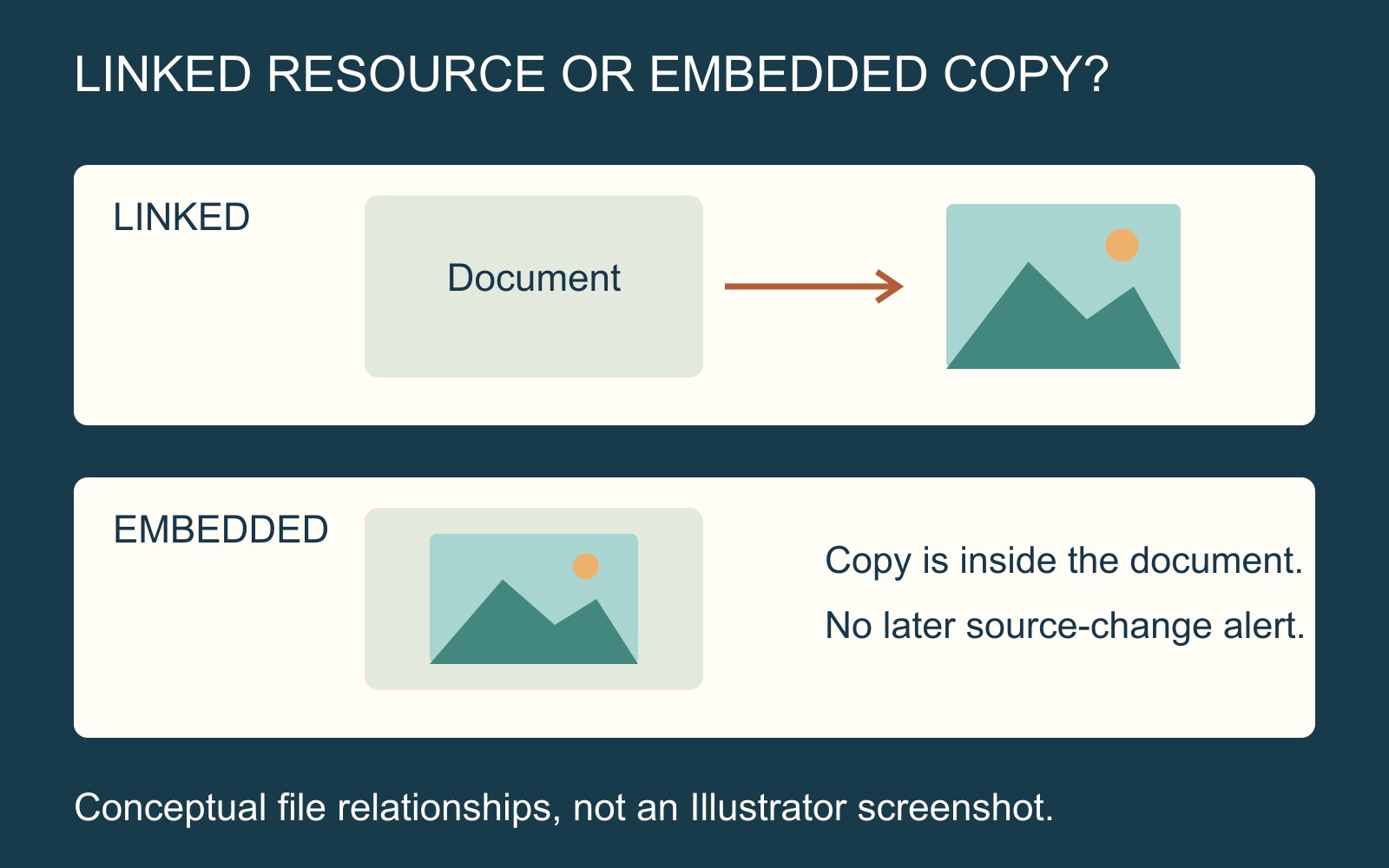
A link points to another file
Adobe's linked-file guidance describes Illustrator's Missing Link status as a source file missing from its original location. Update Available is different: the source has been modified, and the placed version can be updated.
Imagine a fictional folder containing Layout.ai and a separate Photo.jpg. The layout refers to the photograph. A recipient who receives only Layout.ai has not necessarily received the photograph's source data too.
The practical question is “Which resource does this document need, and where is the agreed version?” A missing link does not, by itself, prove that all the artwork must be rebuilt.
Find the correct image, not merely a matching filename
Ask the file's creator to identify the required resource and intended version. A different folder can contain another Photo.jpg with a different crop or edit. Relinking to the first plausible file may resolve a warning while introducing the wrong picture.
Use an accepted reference to compare the intended subject, crop and appearance after the resource has been restored. Keep a clearly labelled proof separate from the editable file set.
A reference preview helps explain the design. It should not quietly replace a better original image simply because it is easier to open.
Embedding changes the relationship
Adobe explains that an embedded image becomes part of the Illustrator document. The separate source is no longer linked, and the Links panel does not notify the document about later changes to that original.
That can make an embedded copy useful for a particular handover, but it creates another version to manage. If somebody edits the original photograph afterwards, do not assume that the embedded copy now shows that edit.
Agree which document is current and what any later update should replace. Embedding is a resource-handling choice, not a guarantee of image quality or finished print suitability.
Agree the complete file set
Illustrator's packaging feature can gather the document and linked graphics for handoff. Its copy-and-relink choices matter; agree the required contents rather than assuming that any folder labelled “package” is complete.
For a printing enquiry using editable artwork, explain which file is the layout, which resources accompany it and which preview shows the intended result. Ask what the recipient needs before converting or flattening your only master.
A complete handover keeps the relationship understandable. The document, required images and approved appearance should support one agreed version of the job.
Sources: Adobe Illustrator's linked/embedded-file and packaging guidance. Filenames and diagrams are fictional; no supplied design or software session was tested.