
The outline is still sharp and the shape has not been stretched, yet the smaller version looks heavier. One possible reason is that the path was reduced while its stroke width stayed unchanged.
Vector artwork can contain a path with a separately specified stroke around it. Keeping the shape's proportions is therefore not necessarily the same decision as keeping the stroke in proportion to that shape.
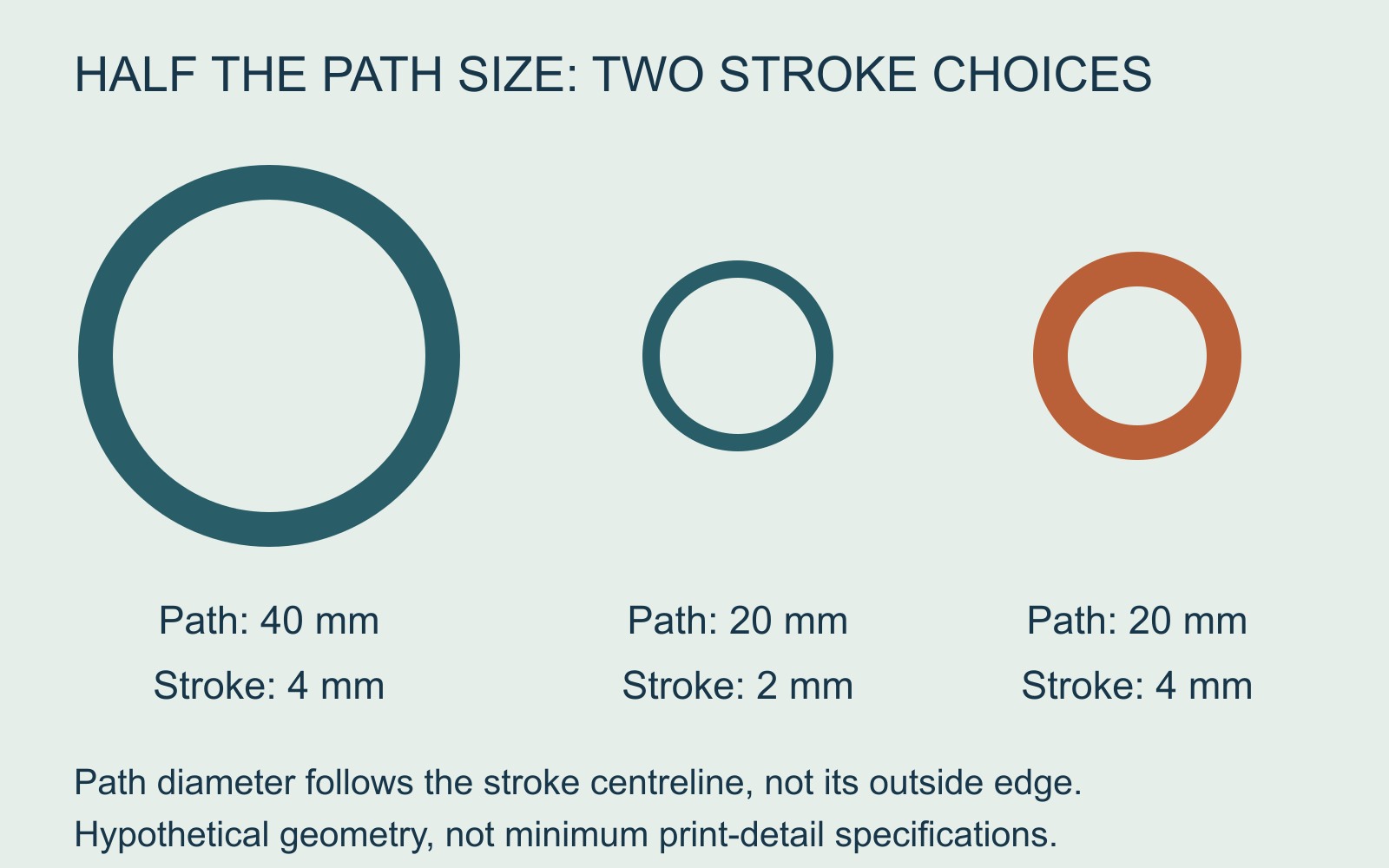
Path size and stroke width can change separately
Adobe's Illustrator scaling guide distinguishes proportional dimensions from its Scale Strokes & Effects control. That control includes stroked paths and size-related effects when scaling an object.
This does not establish what setting was used in a particular file. It identifies a separate choice to investigate when a resized mark looks unexpectedly heavy or light.
A small geometry example shows the difference
Imagine a circular path with a centreline diameter of 40 mm and a stroke width of 4 mm. Reduce the path to half its size. Its path diameter becomes 20 mm.
If the stroke scales proportionally too, it becomes 2 mm wide. If its width is held at 4 mm, that unchanged stroke occupies a greater proportion of the smaller shape. The path has shrunk; the stroke has not.
These measurements describe hypothetical geometry. Path diameter is not the total outside diameter including the stroke, and the numbers are not minimum print-detail recommendations or a measured software result.
A sharper file can still have the wrong appearance
This problem is different from a small photograph becoming pixelated when enlarged. A vector edge can remain clean while the relationship between the shape and its line weight changes.
It is also different from stretching the artwork's width independently of its height. A mark can keep that aspect ratio while its stroke becomes relatively more prominent.
Do not assume every logo contains editable strokes. Its construction needs checking before somebody changes a setting or alters line widths.
Agree which appearance should survive resizing
Sometimes a consistent line width across differently sized elements is intentional. In another design, the stroke needs to shrink with the mark. The intended identity and application should decide the result.
For a printing enquiry involving resized artwork, send the original available file, the intended size and a reference showing the accepted appearance. Point out the line that looks different rather than asking only for a “higher-resolution logo”.
Review the smaller version at its intended scale, including fine detail and nearby spaces. Agree any adjustment before accepting it as a new master. Preserving the intended appearance and confirming suitability for the actual print method remain separate checks.
Source: Adobe's Illustrator scaling guidance. Circle dimensions are an original worked example; no customer logo, application setting or physical output was tested.