You have allowed enough room for the artwork, but the mark still looks small beside the heading. Before making the whole SVG bigger, check how much of its internal drawing area the visible artwork actually fills.
There are two boundaries to compare: the outer area allocated to the SVG and the visible shape inside it. They need not be the same size.
Read the drawing bounds as well as the artwork
The SVG viewBox defines a rectangle in user coordinates which maps into the SVG viewport. Its four values describe the minimum x and y positions, width and height. The fitting behaviour also depends on preserveAspectRatio, as explained in MDN's viewBox reference.
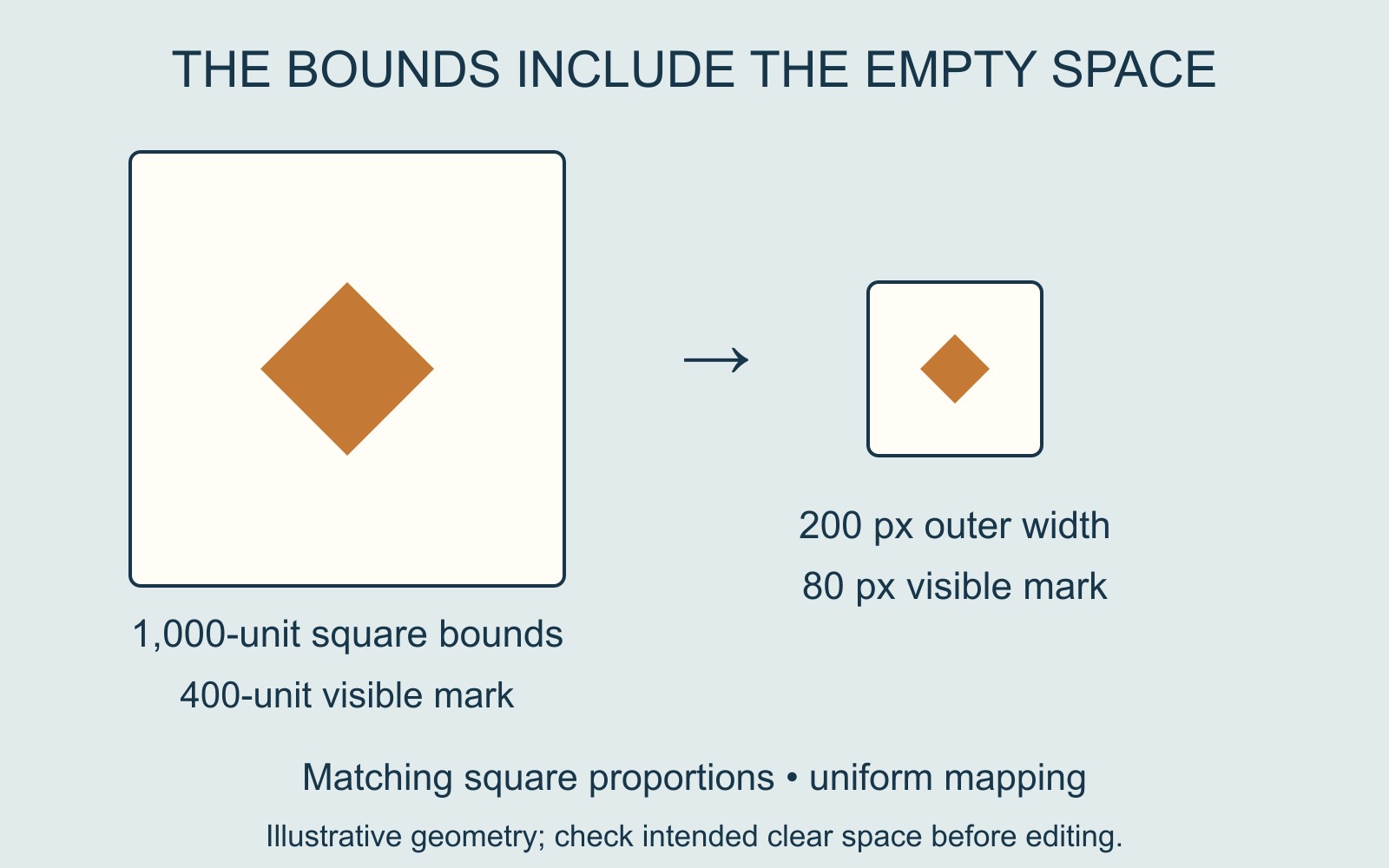
For a simple square example, imagine a mark 400 units wide centred inside a 1,000-unit-wide square drawing area. With matching square proportions and uniform mapping to a 200-pixel-wide viewport, the visible mark is only 80 pixels wide: 400 ÷ 1,000 × 200. The surrounding empty space scales too. This is illustrative geometry, not a measurement of a supplied logo.
Check whether that space belongs there
Open the artwork in its authoring application and compare the artboard or export bounds with the visible paths. In Illustrator, artboards can be resized, and Adobe describes a Fit to Selected Artwork option when the artboard and artwork dimensions differ. Its artboard guide also distinguishes resizing bounds from scaling artwork.
Do not trim every file to the nearest visible edge. Some marks need approved clear space, and some sets deliberately share consistent drawing bounds. Check the intended use and any supplied brand guidance before changing the export.
Give the designer the two sizes
A useful brief says, “The allocated box is this wide, but the visible mark needs to appear this wide.” Include the original SVG and an example of its intended placement. That lets the designer decide whether to adjust the artwork bounds, its placement, or both.
If the file is for a printed item, explain the intended finished position and visible size too. Enlarging the outer box alone may leave the same proportion of unused space. Confirm the revised artwork in the final layout before approving output.
Sources: MDN's SVG reference and Adobe's Illustrator guidance are linked beside the relevant explanations. The diagram uses original illustrative geometry.