
A booklet PDF opens with two neighbouring designs beside each other. That appearance can leave a useful handover question unanswered: are you looking at two individual PDF pages, or a spread exported together as one page unit?
Check the file's structure before rearranging the artwork to change its screen appearance.
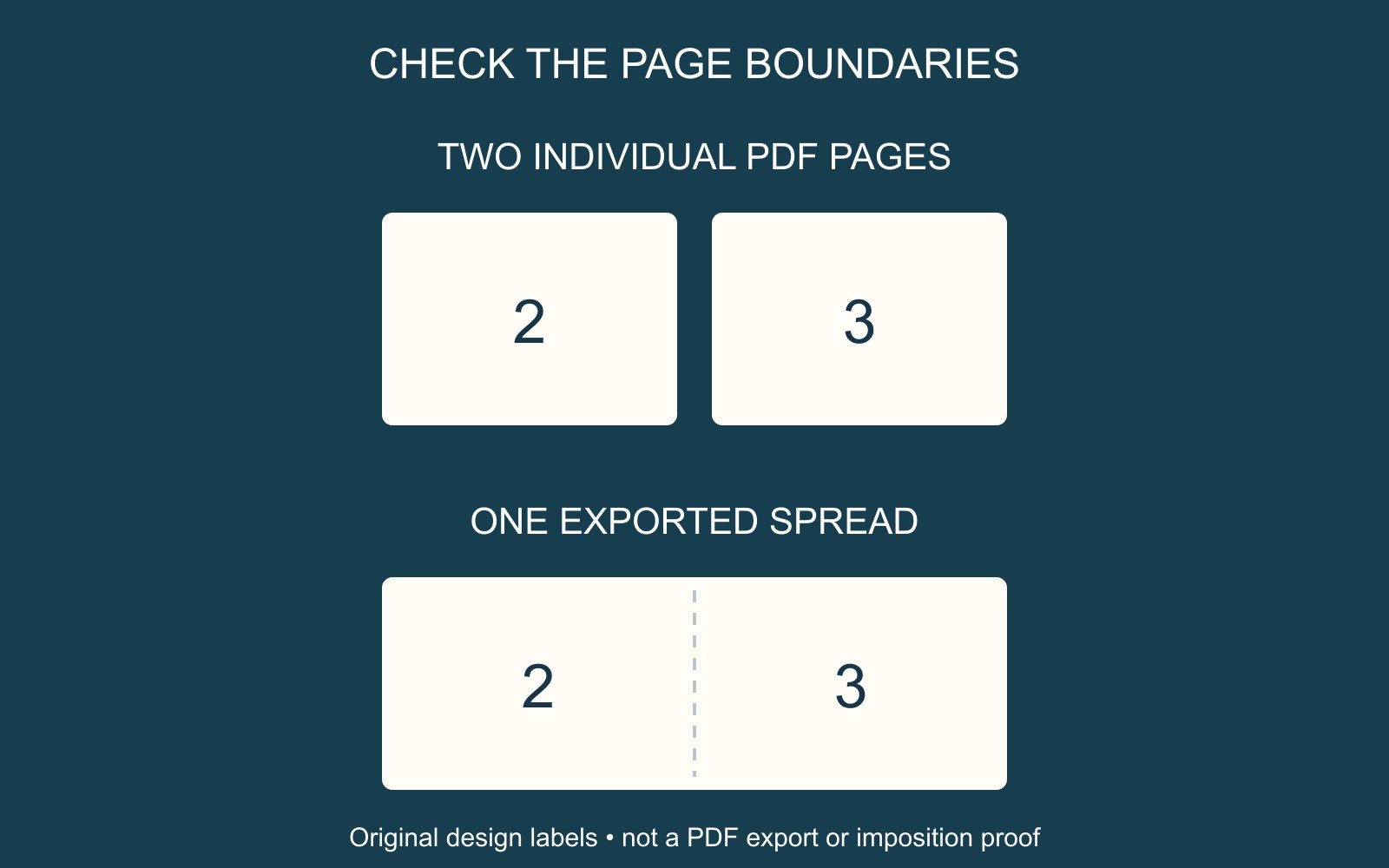
The viewer can display individual pages together
Adobe's Acrobat page-view guidance distinguishes Single page view from Two page view and Two page scrolling. The latter displays facing pages side by side.
A side-by-side display therefore does not, on its own, establish that the author exported a wide spread. Use the page-display controls available in the actual viewer to inspect the individual page units.
The diagrams compare page boundaries, not software interfaces. They do not classify a supplied PDF or show printer-imposed page pairs.
Exporting pages or spreads is another decision
Adobe's InDesign PDF export reference separately identifies Export As pages or spreads and the initial viewer Layout setting. These choices address different parts of the handover.
Ask the author which export choice was used and have the actual page units checked. Changing the viewer layout should not be treated as a command that divides an exported wide page into two separate pages.
Keep the reader-order source identifiable. A request for individual pages is different from asking the author to guess the printer's production arrangement.
Describe the required output explicitly
For a fictional club booklet, name the finished page size, the reading sequence and any intended two-page opening. Ask the producer whether the supplied PDF should contain individual pages or another agreed arrangement.
Compare the final PDF with that instruction. Check the opening, the paired feature and the ending, rather than approving the file because its first screen resembles an open booklet. Confirm page boundaries and sizes, not only the visual page numbers.
For a document-printing and binding enquiry, identify the accepted attachment, copies and finishing. If the file has already been rearranged for production, tell the provider and retain the original reader-order version.
Sources: Adobe linked beside the relevant choices. The booklet and diagrams are illustrative; no PDF was exported, split or imposed.