
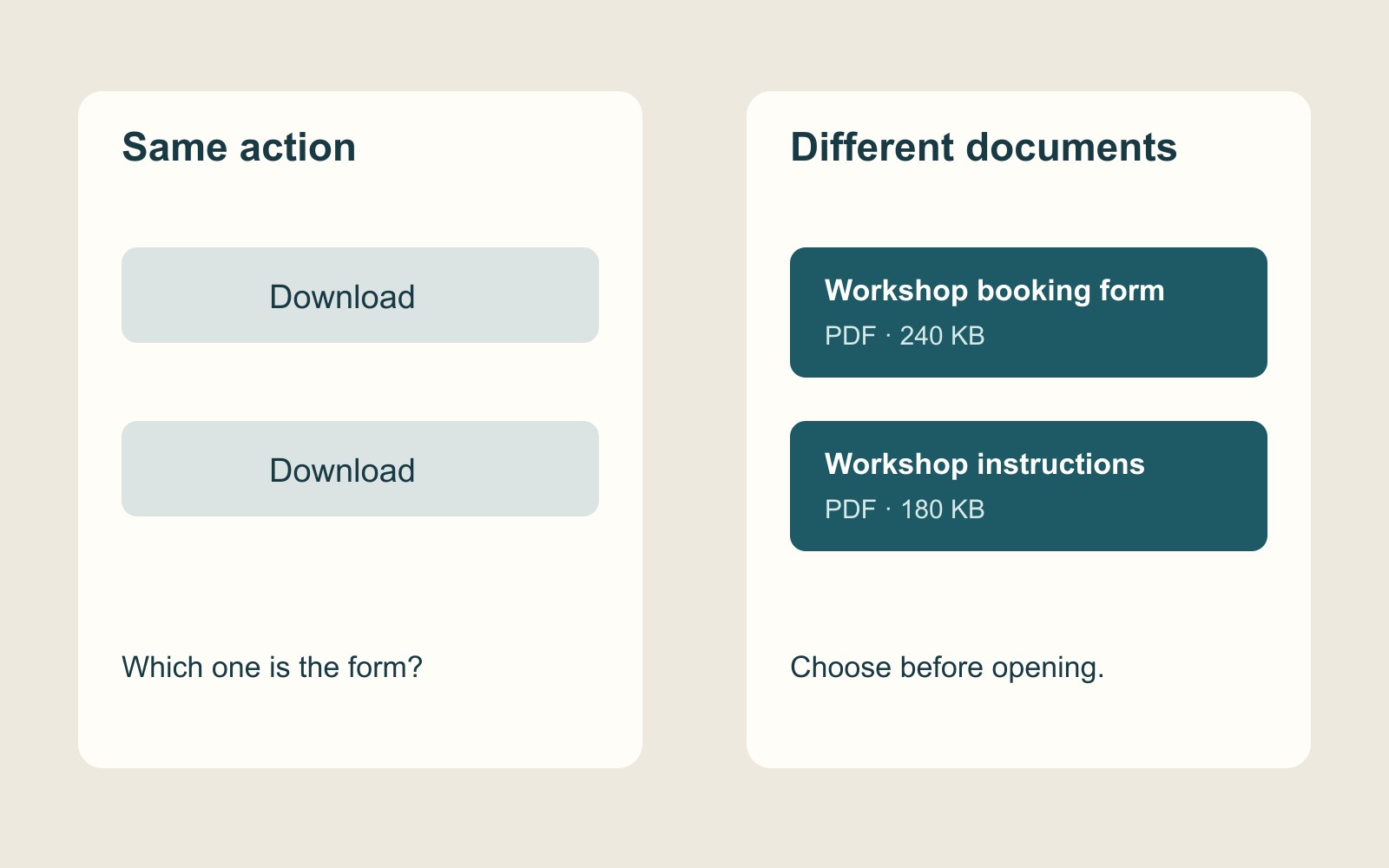
A page offers two buttons. Both say “Download”. One supplies a blank order form. The other supplies the instructions for completing it. Until you open them, the buttons do not tell you which task comes next.
That is a fictional example, but it exposes a real design question. Before someone handles a file, can they tell whether it is the file they need? The answer belongs on the webpage, before the click. It should not depend on recognising a tiny icon or decoding an internal filename.
Name the thing, not just the action
“Download” describes an action. It does not identify its object. A useful label brings the two together: “Download the workshop booking form”, for example, rather than another identical button in a row.
W3C’s link-purpose technique explains why descriptive link text matters: it helps a person distinguish destinations and decide whether to follow a link. The technique is one way to address link purpose, not a certification that a whole page is accessible.
The distinction becomes particularly clear when a link is encountered away from its surrounding paragraph. Someone scanning a page may notice only its prominent actions. Someone using assistive software may navigate through a list of links. “Workshop booking form” still identifies something; “Click here” asks the surrounding page to supply all the meaning.
Keep the visible description and the link’s purpose aligned. A button named “Booking form” should not quietly lead to a general brochure. A meaningful label is a promise about the destination, not decoration applied to whichever file happens to be available.
Give the file information that changes the decision
A title answers “What is this?” Format and size answer different questions. Is this a PDF to read, a spreadsheet to work with, or an archive containing several files? How large is the file being offered?
NHS content guidance recommends including the file type and size in a document link. That is concrete publishing guidance, rather than a claim that every business page must copy an NHS component. It gives a useful starting point for a file description: identify the document and tell people what they will receive.
Consider this made-up label: “Workshop booking form — October 2026 (PDF, 240 KB)”. The title identifies the task, the date distinguishes the edition, and the final details identify the format and size. The number is an invented example, not a measurement of a real downloadable file. On a real website, the size needs to come from the file actually linked.
These details should earn their place. A revision matters when readers might reasonably confuse editions. A language label matters when there is a choice. A description of what an archive contains matters when a person expects one document but will receive a collection. Do not add a row of badges that leaves the main purpose harder to find.
A version label needs an owner
Imagine a page offering instructions for an upcoming workshop while keeping last year’s pack available for reference. Calling both “Information pack” leaves readers to discover the distinction inside the documents. Renaming the links around their actual uses is clearer: “Participant pack for the October 2026 workshop” and “Previous workshop pack — reference copy”. These are fictional examples, not records of an event.
The important work happens when a file changes. Replacing a PDF without reviewing its link can leave an old size, date or description beside a new document. Updating the words without replacing the file creates the opposite mismatch. The page and the file need to be treated as one small publishing job.
Assign that job explicitly. Whoever supplies a replacement should identify the intended edition, what has changed and which existing link it replaces. Whoever maintains the page should check the destination and the visible description together. A filename containing “final” is not enough to establish that it is the version intended for public use.
This is a maintenance recommendation, not evidence that a particular business has used the wrong document. Its benefit is a checkable relationship: the label describes the file that is there now.
Description and delivery are separate checks
A clear label does not control a visitor’s browser. MDN’s HTML link reference explains that download handling varies with browser settings and other factors. Renaming a link cannot guarantee that a document saves automatically or opens in a particular application.
Keep this review focused on the decision before following the link. The question here is whether the visitor knows what is being offered. If the problem is that the browser opens or saves it unexpectedly, the delivery needs a separate check. File descriptions and delivery behaviour can both need attention, but they are different jobs.
Likewise, naming the format does not prove that the document itself is usable. “PDF” tells someone the format; it does not establish reading order, searchable text or an accessible form. Do not use a tidy label as a substitute for reviewing the actual file.
Review the page without opening the files first
For a practical review, begin with the page as a visitor would encounter it. Ask which file answers the immediate question. Can you identify it from the visible title and nearby information? If there are several links, can you distinguish them without opening each in turn?
Then open the intended destination and compare. Check the title, edition, format and actual file size against the description. If the page offers an editable template and a completed example, make that difference explicit. Check that the link can be reached and activated with a keyboard, too. A successful mouse click alone does not establish that the complete interaction works.
For a business website brief, include this relationship in the content requirements: what each document is for, what people need to know before choosing it, and who updates the description when the file changes. That is more useful than requesting a “downloads area” and leaving its contents unexplained.
The button can remain visually simple. Its job is to make a clear offer. A visitor should not have to download an unknown file merely to find out whether they wanted it.
Sources and examples
W3C’s link-purpose technique, NHS content guidance and MDN’s HTML link reference are linked beside the passages they support. The workshop, document titles, dates and 240 KB size are fictional explanatory examples. This guide reports no customer test, conversion improvement or accessibility certification.