
An empty field says “Include the EV- prefix”. You begin entering a reference number, and the instruction disappears. Now the form asks you to remember the rule while checking your answer.
This fictional example shows a difference between temporary guidance inside an empty field and information that remains available during entry. A tidy empty form is only one state of the interface.
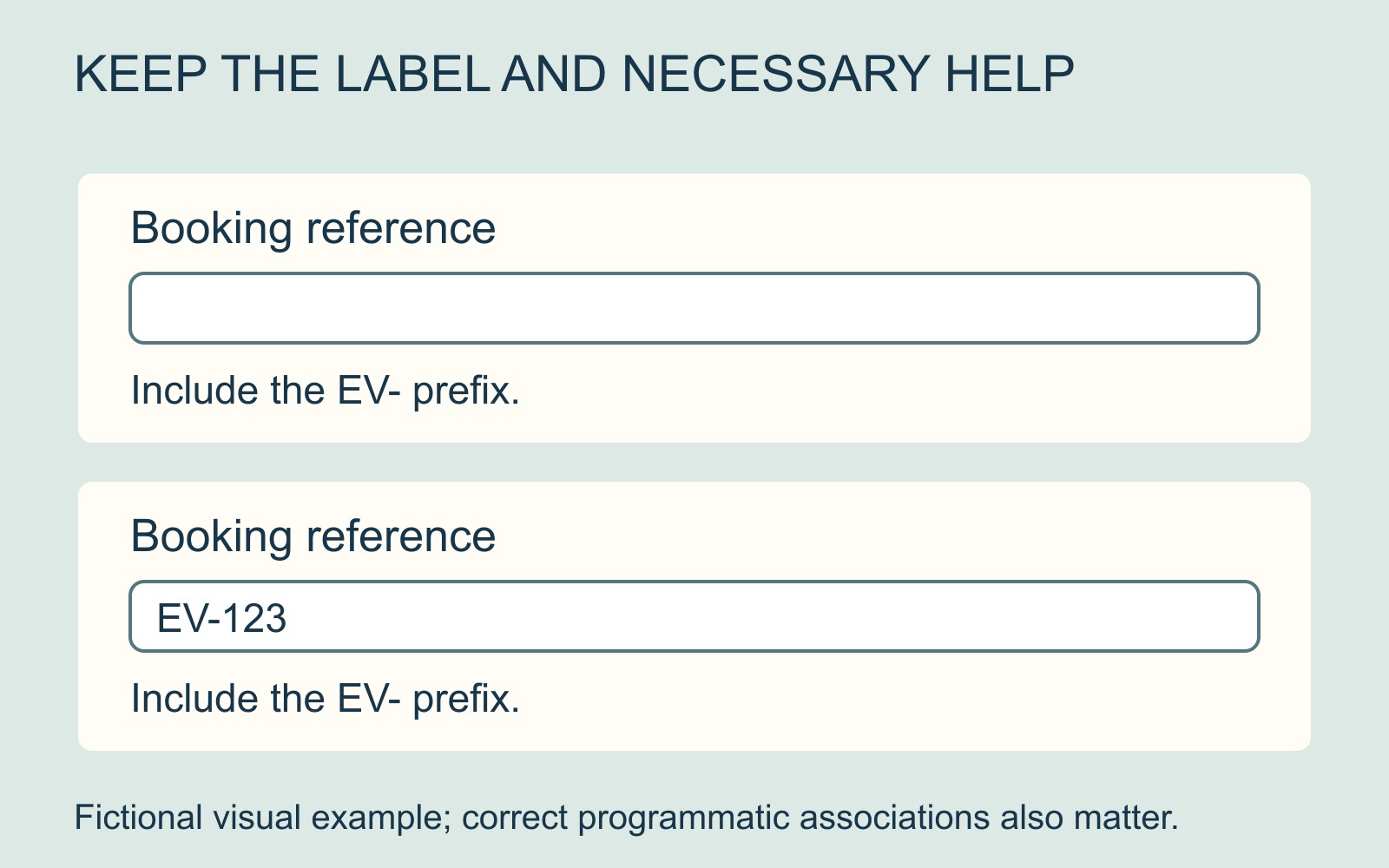
A placeholder is a temporary hint
MDN's placeholder reference describes a hint or example shown while a control has no value. It should not replace the field's label.
The label identifies what the field asks for: for example, “Booking reference”. A placeholder might give an example of the expected answer. A necessary instruction, such as including a prefix, has another job: helping someone enter and review the answer correctly.
Those roles may be close together visually, but they should not depend on one temporary string doing everything.
Keep required guidance available beside the answer
W3C's form-instruction tutorial explains that disappearing placeholder instructions can make answers harder to check. It describes putting simple instructions in labels or associating additional help with the control.
For the fictional reference field, a persistent label could say “Booking reference”, with visible help saying “Include the EV- prefix”. A person who has typed EV-123 can still see what the field means and compare the answer with the instruction.
The particular prefix is invented. The useful principle is that the relevant guidance stays available when the field is no longer empty.
A nearby sentence also needs a meaningful connection
Moving a hint outside the box is a useful visual decision, but the implementation needs attention too. MDN distinguishes the label's visual and programmatic association with its field; W3C describes ways to associate supplementary instructions.
Ask the website provider to account for both relationships. A visitor should be able to identify which field the instruction concerns, including when using assistive technology. A paragraph positioned somewhere near several boxes may leave that relationship unclear.
This is a requirement to discuss, not a promise that one layout or snippet establishes accessibility for the entire form.
Review the filled state as well as the empty one
In the website brief, identify the wording that names the field, the guidance someone needs while answering and any optional example. Ask how each remains understandable after entry starts.
Also identify the correction state separately. Keeping the instructions available during typing is a different requirement from retaining entered answers after a submission error.
For a business website discussion, describe the specific field and the information that vanishes. “The format instruction disappears when I type” gives the provider a clearer issue than “the form needs to be easier”.
A placeholder can help introduce an answer. The field's name and necessary instructions should continue to support the person who is already writing it.
Sources: MDN's placeholder reference and W3C's form-instruction tutorial. All form details are fictional; no website, submission or conversion outcome was tested.