
Agree where the reversal will happen before mirroring the file yourself. A readable design, a printed transfer and the intended finished appearance are different views of the job. Production software may already handle the reversal.
Keep a clearly identified, right-way-round master showing how the finished wording should read. If the person preparing the print requests a reversed file, supply it as a separately labelled production version rather than making it the only copy.
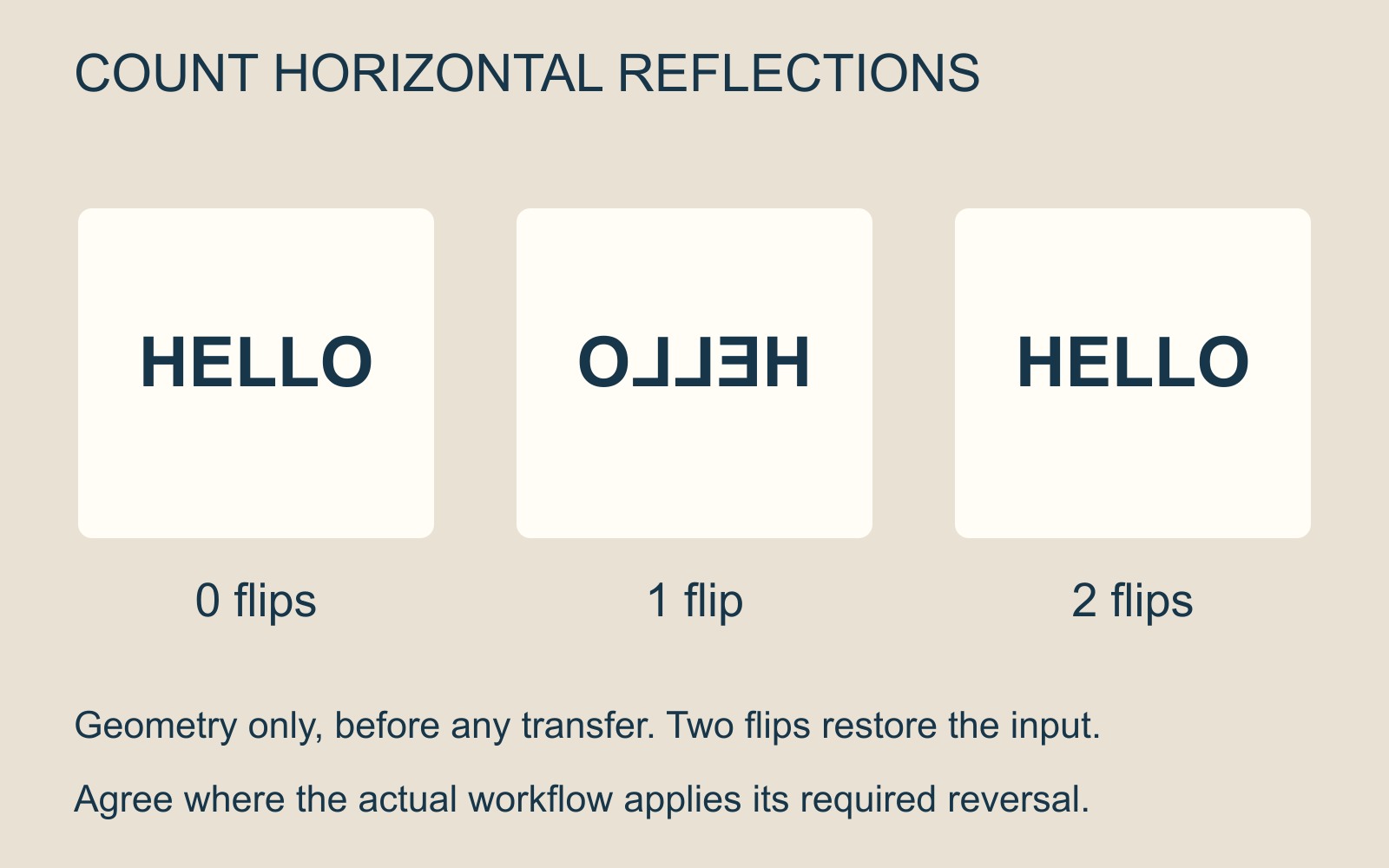
The print utility may already mirror it
Sawgrass's Print Utility guidance says its Mirror control reverses an image horizontally. The option is enabled by default for most sublimation workflows in which the transfer needs to be mirrored before pressing.
That is why “I always flip the artwork first” is an incomplete instruction. The source file may have been reversed already, while the print utility is also set to reverse what it receives. Two horizontal reflections restore the original orientation. That is geometry, not a record of a tested print.
A fictional design reading HELLO makes the distinction visible. Its readable master and its mirrored transfer view should not be mistaken for two alternative spellings or two independently approved designs.
Count the reversals, then confirm the workflow
Ask whether the supplied artwork should be readable or pre-mirrored, and which production stage is responsible for the reversal. Identify any version you have already flipped. Do not leave the recipient to infer that from a filename such as “final”.
This is also a reason to keep the master. If somebody needs the design for a mock-up, a different item or another production route, they should be able to find the intended readable appearance without undoing uncertain earlier changes.
A transfer preview may intentionally look backwards. A customer-facing proof should make clear whether it represents that intermediate stage or the final reading direction.
One setting does not cover every receiving surface
Sawgrass's Smart Print Settings instructions explain that product and material choices can configure mirroring. Its reverse-side glass-cutting-board example may require mirroring to be turned off.
That is a specific manufacturer's example, not a claim that Time for Designs offers that item or uses every Sawgrass workflow. It shows why the receiving side and viewing direction need to be understood before copying a setting from an unrelated product.
Do not change the print setup solely to make every preview read normally. Establish which view it represents and what the actual method requires.
Send the intended appearance with the job details
For a personalised merchandise enquiry, include the item, quantity, exact wording and best available artwork. Say whether any supplied version has been mirrored, and keep the readable master identifiable.
Agree the production requirement before making another reversal. The useful handover explains both what the finished item should say and what has already been done to the file.
Sources: Sawgrass's Print Utility and Smart Print Settings guidance. HELLO and the reversal diagram are conceptual; no product, press setting or physical output was tested.