
A tiny target outside the finished page can answer a question the design itself makes difficult to see: have the separate ink images landed in the same position? That is the purpose of a print registration mark. It belongs to alignment, while the short lines indicating where to cut belong to a different job.
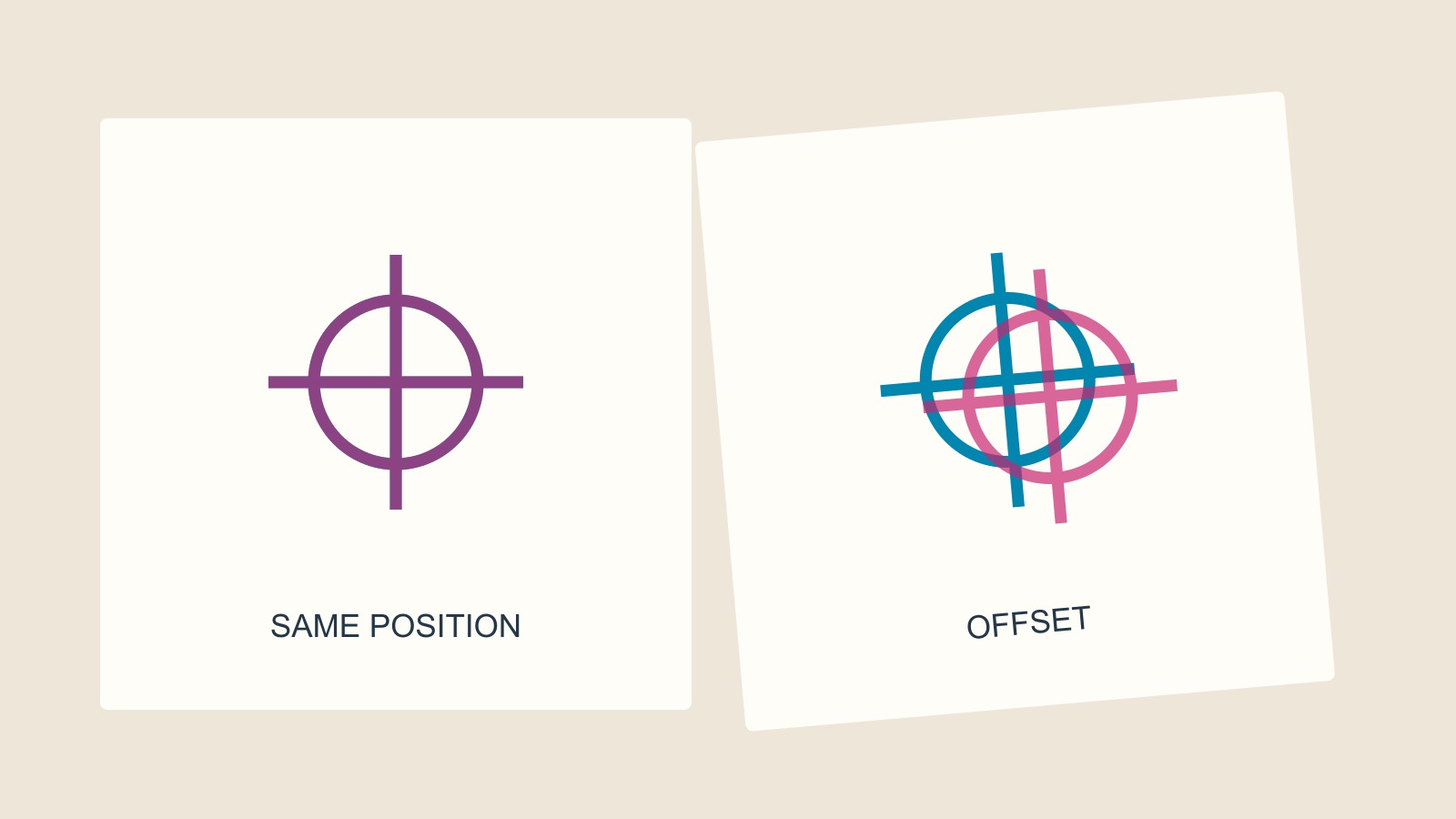
The target repeats a common position
Adobe's explanation of printer's marks describes registration marks as small targets used to align colour separations. Microsoft describes the same purpose in its Publisher printing documentation: registering the printing of two or more press plates on a page.
Think of two transparent drawings of the same cross. If their centres coincide, they occupy one common position. Move one drawing sideways and two positions become visible. The target turns alignment into something that can be inspected without depending on a complicated part of the artwork.
Our diagram uses only two coloured outlines to make that relationship obvious. It simplifies a production check; it does not reproduce the appearance of overlapping physical inks. The exaggerated separation is not an acceptable-error limit.
The artwork may not offer an equally clear reference
A photograph contains many edges, tones and small details. A sparse design might put different colours in separate areas, with little obvious overlap. Asking whether the whole picture “looks right” is a less precise question than comparing features that were intended to share a position.
That is the useful logic of a common target. Its geometry supplies a reference independent of the illustration or lettering. The check concerns where the different printed images sit relative to one another.
It does not answer every quality question. Alignment alone cannot tell you whether a colour is the one agreed, whether the correct stock was used or whether the supplied text is accurate. Those require their own checks.
Cutting and colour control have other marks
A crop mark indicates the intended trim position. A registration target helps compare the positions of separations. A colour bar serves another purpose again: Adobe describes bars containing process inks and grey tints for adjusting ink density.
The distinction matters when someone says “the printer's marks are there”. Which marks, and what question do they answer? A target outside the page does not create extra background artwork beyond its edge. Crop marks do not prove colour alignment. A row of colour patches is not a spelling check.
You do not need to become a press operator to keep those questions separate. It is enough to avoid treating every small item around a proof as one general certificate that the job is ready.
Do not add every mark by default
Marks need room outside the intended page. Microsoft's documentation makes their dependence on a larger output sheet explicit. Adobe also distinguishes the offset of marks from the bleed area. A file containing the right marks in the wrong place can still be unsuitable for the agreed workflow.
For a printing enquiry involving supplied artwork, ask what file format, bleed and marks are required. Follow the requirements for that job instead of selecting every export option because it sounds more professional.
If a proof raises an alignment concern, identify the page and the exact feature. Ask the producer which check the proof supports and what should be assessed on the production sample. A screen diagram and a physical print answer different questions.
The small target has a limited job, and that is its strength. It makes one relationship easier to inspect: separate printed images sharing an intended position.
Sources and scope
The Adobe and Microsoft documentation linked above defines the different marks and their printing context. The transparent-cross comparison is an explanatory model. No particular Time for Designs press, tolerance, ink process or production test is claimed.