
You select a section in a page's contents list. The browser scrolls, the relevant paragraph appears, but the heading is hidden beneath the menu that stays at the top of the screen.
The destination may be correct while its landing position is unhelpful. Describe both the link and the obscured content before assuming that the section address is broken.
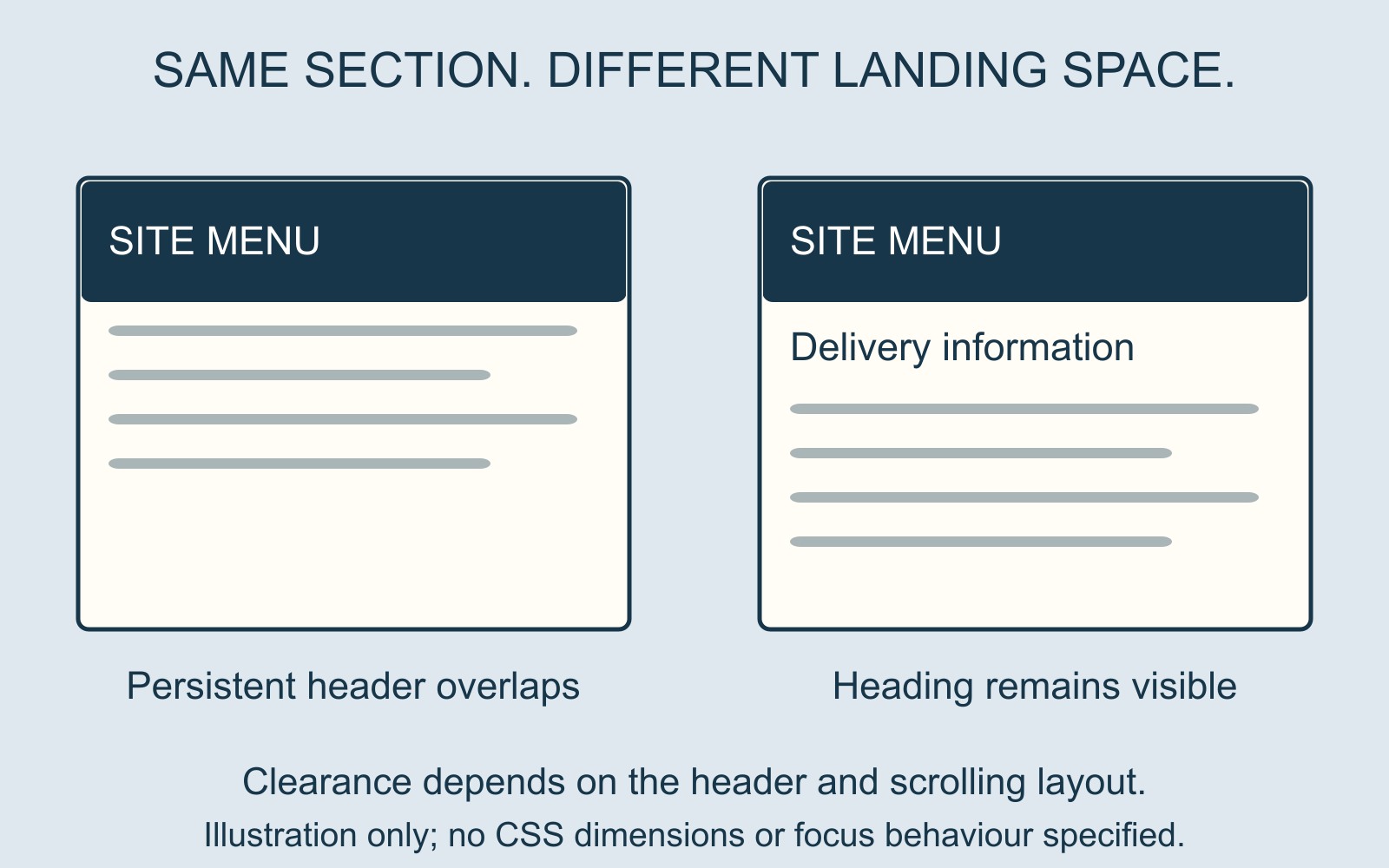
A correct destination still needs visible space
Imagine a fictional service page with a persistent header and a contents link labelled Delivery information. After selection, that heading sits underneath the header; the first visible line is already halfway into the explanation.
The reader has arrived without the context that identifies the section. Scrolling slightly back may reveal the heading, but that extra step is a useful defect to report rather than part of the intended journey.
MDN's explanation of scroll-padding-top describes a way to offset the top of the scrolling area's preferred viewing region. It can account for space obscured by fixed toolbars or leave room around a target.
The allowance has to suit the layout
A developer needs to assess the actual scrolling container and header behaviour. A number copied from another site does not establish that the target will be visible in this layout.
Describe whether the problem occurs with the menu closed, after it expands, or only at a particular screen width. A phone header can occupy a different amount of space from the desktop version. The illustration shows the idea of clearance, not a CSS value to install.
For a business website brief, include a specific example of the section journey you expect the finished layout to support. That gives the provider a result to demonstrate, rather than an instruction to make an unexplained spacing change.
Visible headings and keyboard focus need separate attention
Bringing a heading into view does not prove where keyboard focus goes afterwards. A section link and a keyboard bypass route should be assessed for their actual purpose.
W3C's scroll-padding technique addresses fixed content obscuring keyboard-focused controls. Its example uses a bottom banner and footer link, rather than the top-header illustration here. It is one technique, not a complete accessibility assessment.
Report the journey in a few concrete details
Record the page address, the selected link's wording, the heading you expected to see and what covered it. Include the device or window size and an image showing the landing position if available.
Also say whether the heading stays hidden or becomes visible after the page finishes loading. That helps distinguish a persistent overlap from content that moves during loading, without claiming either cause has already been diagnosed.
Sources: MDN's scroll-padding-top reference and W3C technique C43, linked above. The interface is illustrative; no website was changed or tested for this guide.