
A help control sits beside an enquiry form. Its wording promises a size guide, but activating it makes the form attempt a submission or display validation errors instead. The label and the action have parted company.
For a website owner, the useful first step is to describe the intended action and the observed result. A button's appearance alone does not establish how it behaves.
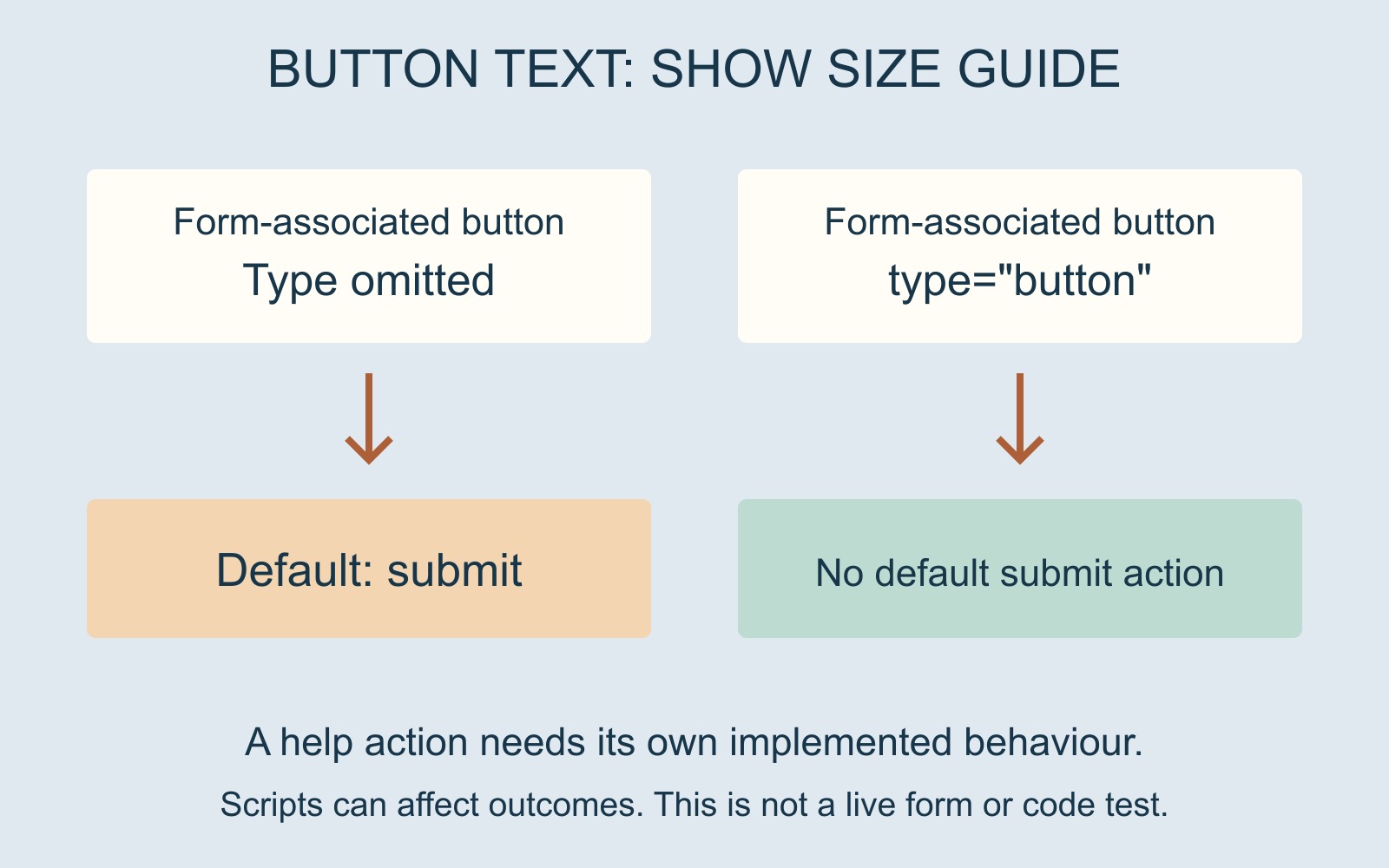
The words do not define the button type
MDN's HTML button reference explains that a button associated with a form defaults to submitting it when its type is omitted or invalid. Writing Show size guide between the button's tags does not turn it into a help action.
The same reference distinguishes type="button", which has no default action, from a submit button. Additional behaviour can be supplied through scripting. Choosing that type alone therefore does not create a working size guide.
Those are implementation details for the provider to inspect, not proof of what is wrong on a particular website. A scripted action or another implementation issue could also explain an unexpected result.
Give each action an agreed result
In our fictional form, Show size guide should make relevant help available while the visitor is still preparing an enquiry. Send enquiry should begin the intended submission route. The two controls can look related without sharing the same job.
Write those outcomes into the brief before discussing colours or placement. Also say whether help should open within the page or lead to another resource, and how the visitor should continue afterwards.
For a business website enquiry, this short action map is more useful than asking for two attractive buttons. It tells the provider what each control must accomplish.
An attempted submission is not confirmed delivery
MDN's forms-and-buttons guide notes that client-side validation can block submission when data is invalid. An unexpected required-field message can therefore be part of the symptom, without showing that an enquiry reached anyone.
Keep the observations separate: which control was activated, what appeared next, and whether there is any actual submission evidence. Do not infer delivery from a changed screen or an unexpected validation message.
Report the mismatch without sending another enquiry
Give the provider the page address, the control's wording and the result already observed. A screenshot of a message can help if it excludes private information. There is no need to keep activating the live form to make the report persuasive.
Ask the provider to demonstrate the agreed behaviours through an appropriate review route. The aim is clear: help should provide help, and sending should be a deliberate step in the visitor's journey.
Sources: MDN's button reference and forms-and-buttons guide, linked above. Labels and interface are fictional; no live form was submitted or tested.