
An enquiry form shows a prefilled reference that the visitor cannot edit. Later, the reference is absent from the details received. One possible explanation is that the displayed control was disabled.
Visible, uneditable and included in form data are separate requirements. Describe all three when specifying a prefilled reference, rather than asking only for a grey box.
A disabled control has a particular browser behaviour
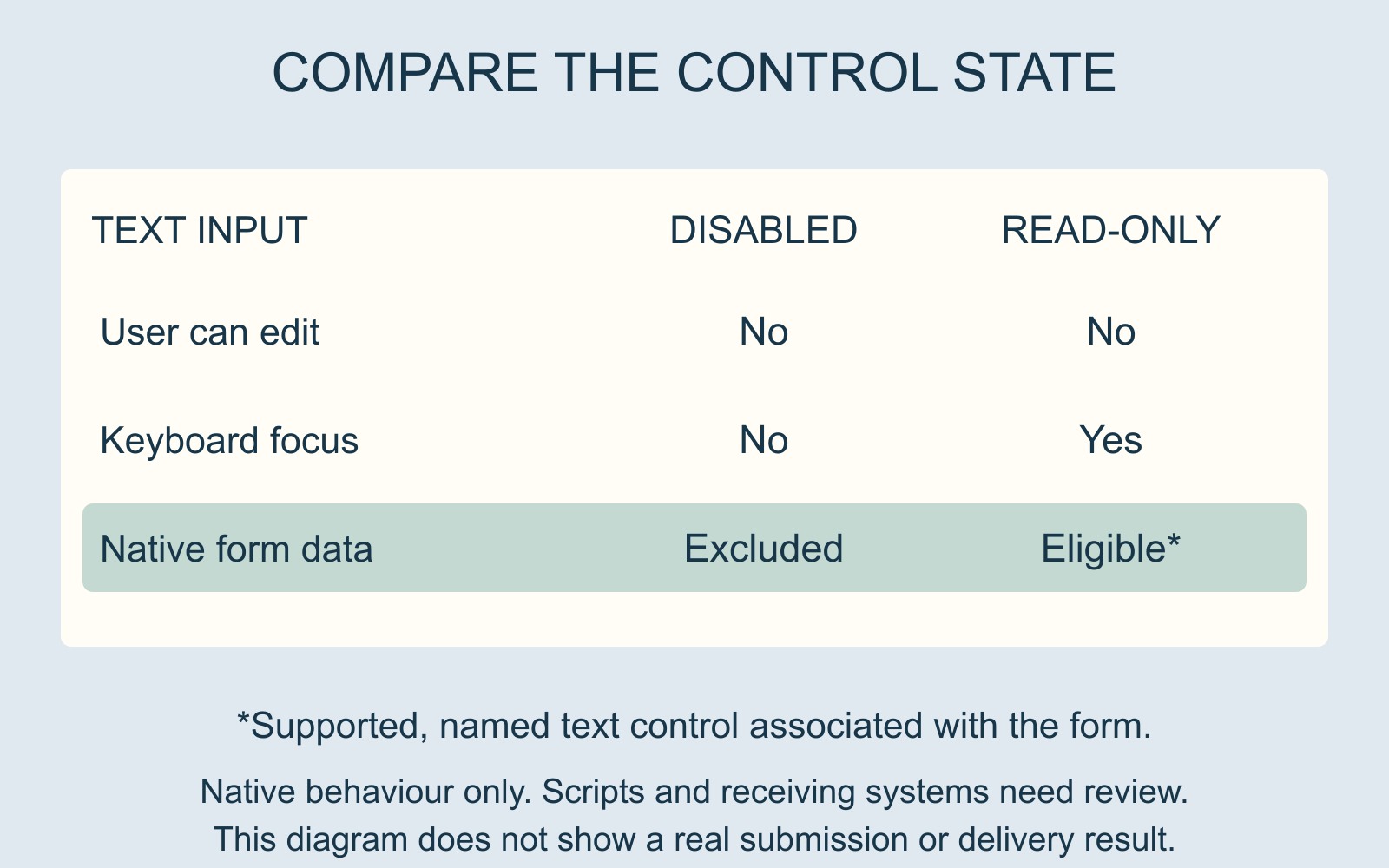
MDN's disabled-attribute reference explains that disabled controls cannot receive focus and are not submitted with the form. This is native form-control behaviour, not merely a visual style.
Imagine a fictional reference, REF-42, displayed inside a disabled text input. The value can be visible while that control's value is excluded from the ordinary form submission. A screenshot of the reference therefore cannot establish that it was included.
This is a possible mechanism, not a diagnosis of a particular website. A custom implementation may assemble its data differently, and a missing received value can have another cause.
Read-only is a different state
MDN's read-only reference describes supported controls whose value the user cannot edit. Unlike disabled controls, they remain focusable. Read-only does not exclude a supported text control from native form data in the same way as disabling it.
The surrounding implementation still matters: the field must be appropriately named and associated with the form. Even then, inclusion in the browser's form data is not proof that a server received, stored or displayed it correctly.
MDN also limits where the attribute applies. It is relevant to supported text inputs and text areas, rather than every kind of control. It should not be proposed as a universal replacement for disabled buttons, selection lists or other elements.
Specify the reference's complete role
For REF-42, a useful brief might say: show the reference, prevent the visitor changing it through that field, and carry the correct reference into the enquiry record.
That defines the intended outcome without assuming that a particular colour or attribute completes the whole job. Ask the provider how the value is handled from display through submission to the received record.
For a business website discussion, include the field's label and the actual mismatch already observed. Keep any private enquiry details out of a general screenshot or shared example.
Report the missing value without repeated submissions
Distinguish what the visitor saw from what was actually received. Give the provider the page, field and available evidence, then use an agreed review route for any further demonstration.
The useful result is not simply a field that looks locked. It is a reference whose display, interaction and data handling all serve the intended enquiry.
Sources: MDN's disabled and read-only references, linked above. REF-42 and the interface are fictional; no live form or submission was tested.