
A report opens with a tidy list of headings and page numbers. Yet the PDF viewer's Bookmarks panel contains nothing. The document may have a contents page without having that separate navigation feature.
If people will use the file on screen as well as in print, describe both requirements. A visible list of sections is not proof that the viewer offers links to them.
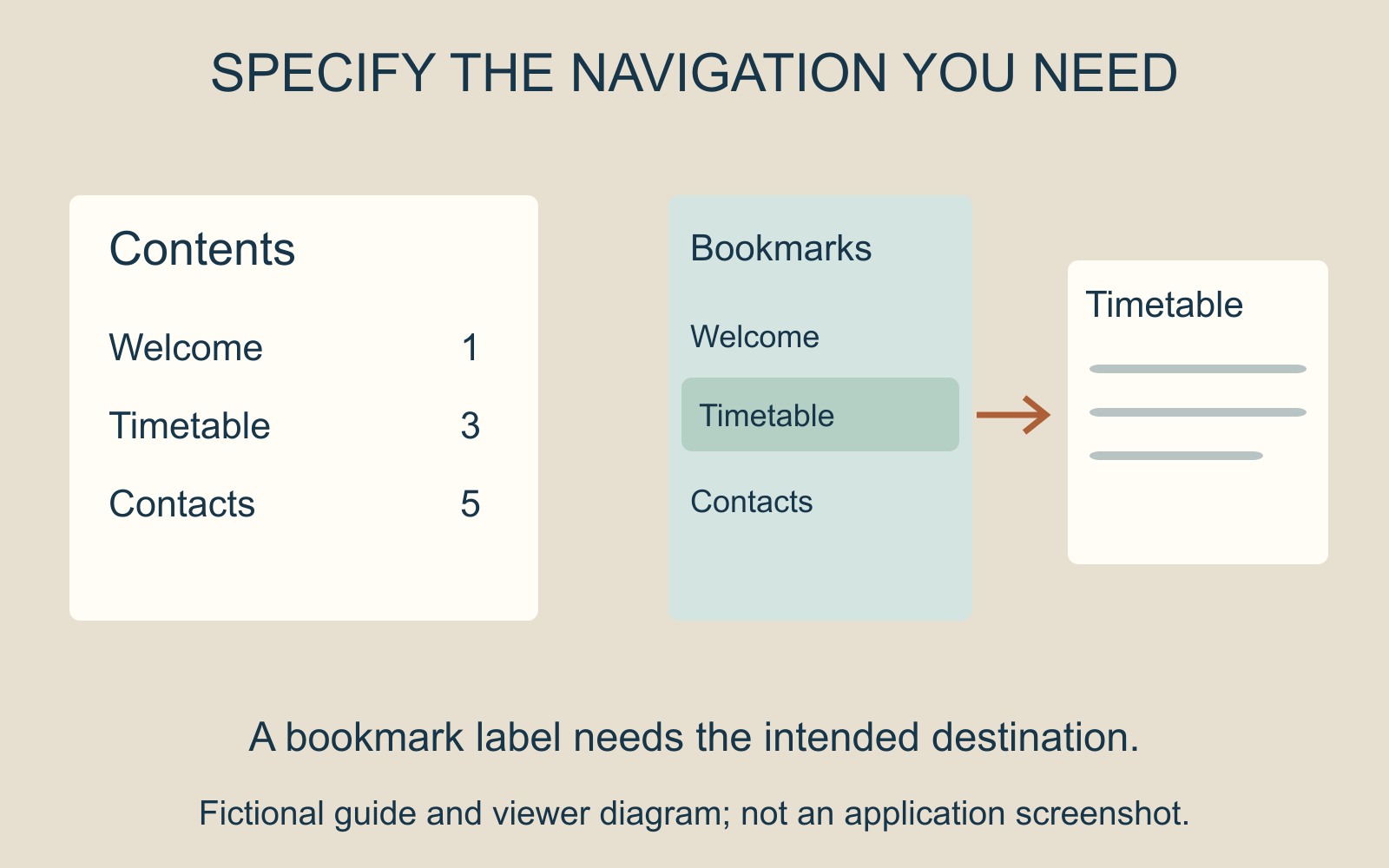
The contents page is part of the document
Imagine a fictional guide whose first page lists Welcome, Timetable and Contacts. That page gives a reader an overview and can remain useful in a printed copy.
It may contain clickable links, or it may simply contain text. Either way, the page itself and the viewer's navigation panel are different places to look. Ask which route the reader is meant to use rather than treating the two as interchangeable.
A bookmark has a label and a destination
Adobe's PDF bookmark guide describes bookmarks as links with representative text in a navigation panel. They can lead to a particular view or page. Adobe also provides separate controls for renaming a bookmark and changing its destination.
For the fictional guide, a bookmark labelled Timetable should take the reader to the intended timetable. Seeing the right word in the panel is only half the check. Follow the link and confirm the actual destination and useful view.
If the document changes, keep that check tied to the supplied version. A familiar label does not establish that the location behind it is still the one the reader needs.
Navigation changes are not page edits
Adobe distinguishes deleting a bookmark from deleting document text. It also explains that nesting bookmarks changes their hierarchy while leaving the actual page in its original location.
That distinction helps when requesting a correction. “Put Contacts beneath Visitor information in the bookmark list” is a navigation request. Moving the Contacts page in the document is another change, with a different result.
Specify which one is intended. Keep the reading order, contents page and navigation labels understandable together without assuming that altering one automatically corrects the others.
Agree the digital handover as well as the print
When discussing document printing and binding, explain separately if the PDF is also intended for screen reading. Ask the file's author to confirm the required navigation and inspect the final file in the intended reading application.
Different readers can present navigation differently. A useful bookmark list supports one part of the journey; it does not establish searchable text, correct page labels or complete accessibility.
Source: Adobe's bookmark guidance, linked above. The guide and interface illustration are fictional; no supplied PDF or viewer session was tested.