
An underlined “Directions” label suggests that it leads somewhere. If a keyboard user cannot reach and activate it, the appearance and the behaviour are telling different stories.
When briefing a correction, identify the intended destination and describe what happens with the keyboard. A screenshot of the underline alone cannot establish whether the element is a working hyperlink.
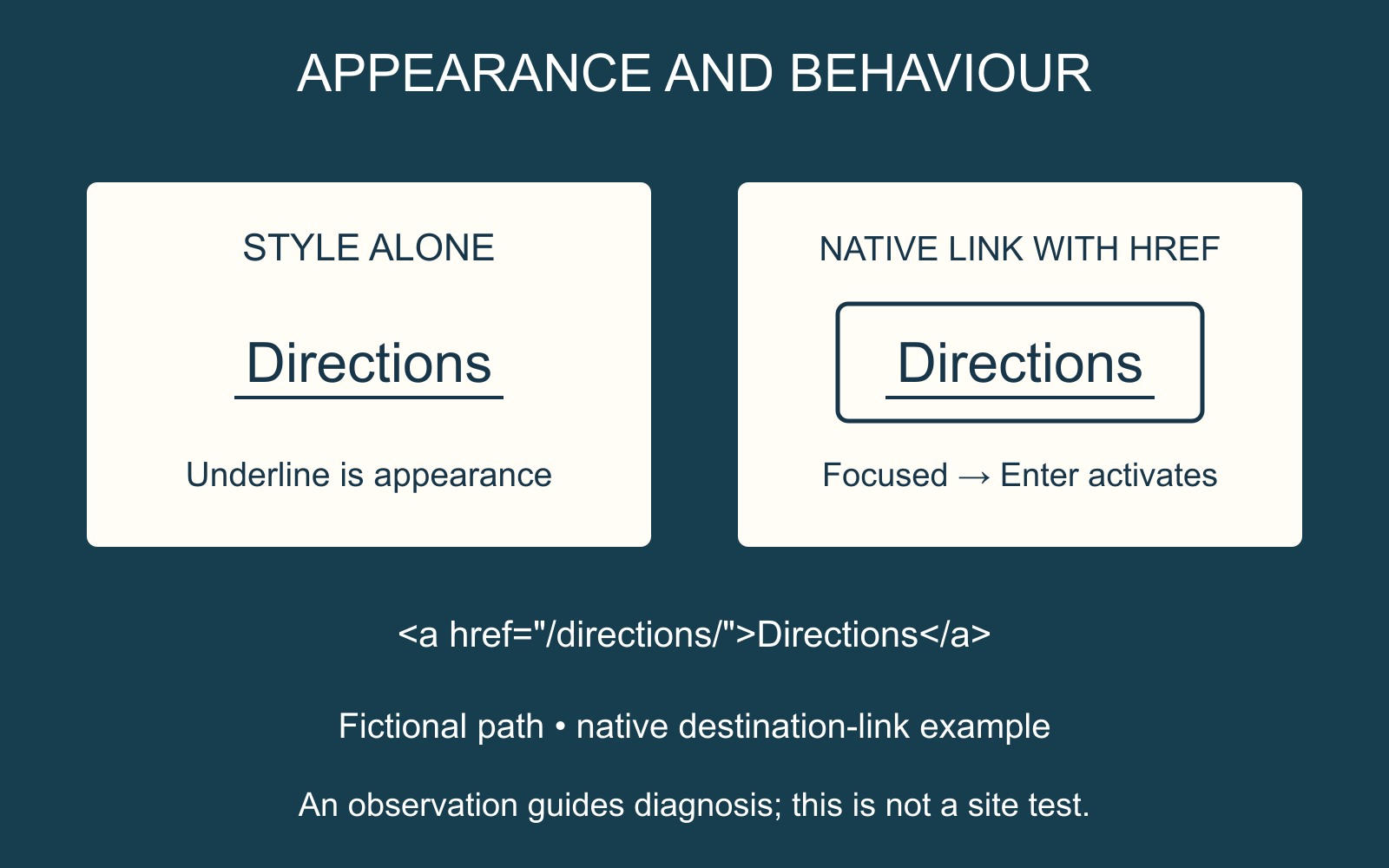
A destination needs link behaviour
In HTML, an a element with an href attribute creates a hyperlink. MDN explains that a focused link with href can be activated with Enter in its anchor element reference. Underlining text is a visual treatment; it does not itself supply that behaviour.
For example, <a href="/directions/">Directions</a> describes a native link to a destination. The path here is fictional and illustrates the markup; it is not a claim about a page on this website.
Use the control that matches the job
W3C's guidance on HTML form controls and links explains the keyboard and assistive-technology benefits of standard controls. It also states that an a element without href is not a link.
If the item should navigate to a page, a native destination link is a useful starting point. If it performs an action, such as opening a dialog, the developer should choose an appropriate control for that action. Custom implementations are possible, but their complete interaction needs to be implemented and checked; a click handler and link styling alone do not demonstrate that.
Report the observation, then confirm the repair
Describe the page, the visible label, the expected destination and the observed keyboard behaviour. For example: “Directions should open the location page. Using Tab from the preceding control, I cannot reach it.” If it receives focus but Enter does nothing, report that different observation.
This gives the developer a specific interaction to inspect. Other causes may affect focus or activation, so the symptom alone does not prove that href is missing.
When discussing a business website, include essential destination links in the acceptance brief. Confirm that the repaired item can be reached, has a visible focus indication and activates its intended destination. Resolving one item is evidence about that interaction; a wider accessibility assessment needs broader coverage.
Sources: MDN and W3C guidance are linked beside the technical explanations. The diagram is a fictional interaction comparison, not a test result for an existing website.