
An enquiry form asks for a choice, but its dropdown appears to accept the opening prompt as the answer. The words “Choose an option” tell a person what to do. Those words alone do not tell the browser that a real choice is still missing.
When reporting the problem, distinguish the visible prompt from the value and role of its underlying option.
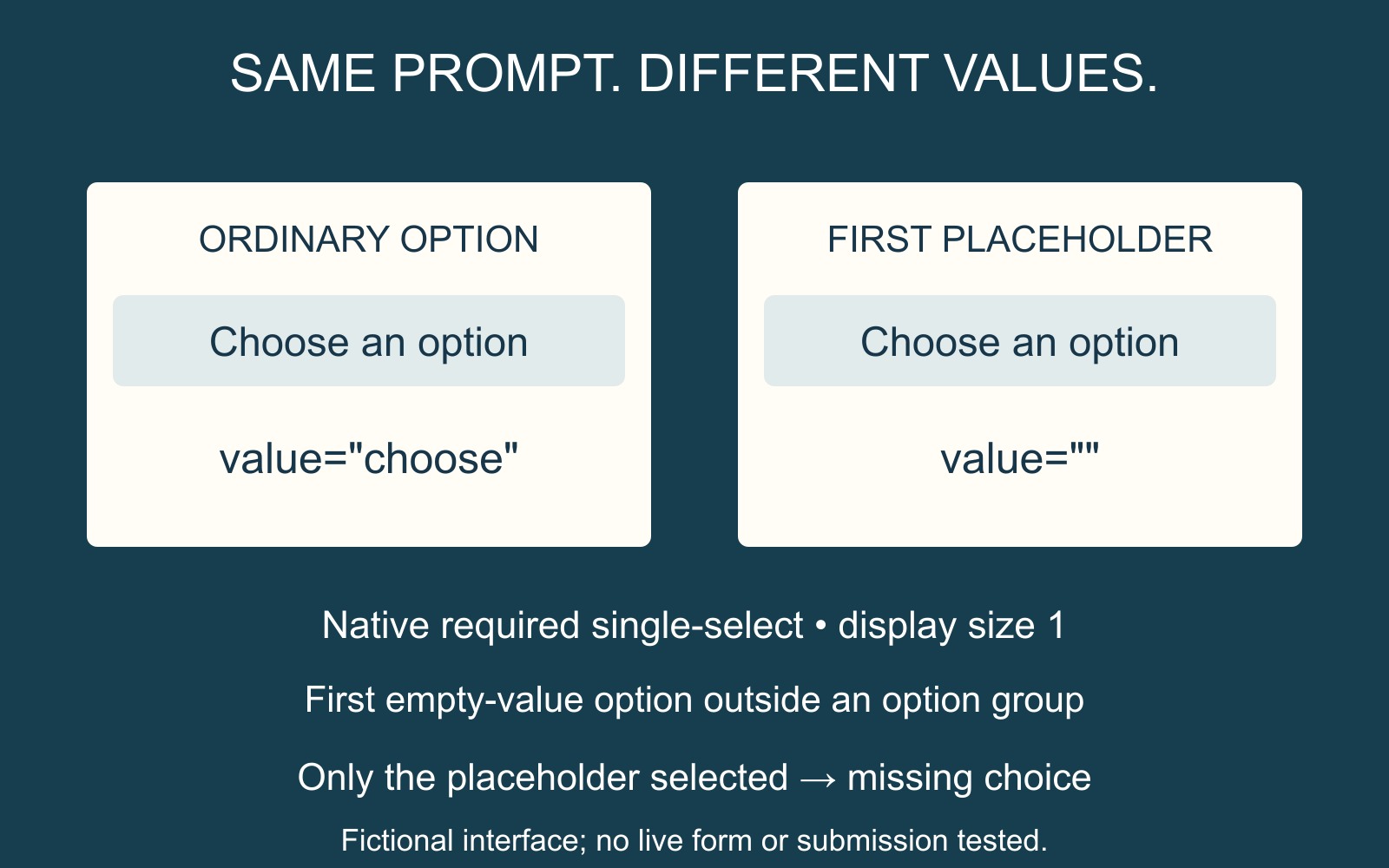
Two identical prompts can behave differently
Consider a fictional “Delivery method” dropdown with Collection and Post as its choices. Its opening option could display “Choose an option” while carrying value="choose". That is a non-empty value, despite the wording sounding like an instruction.
In the narrowly defined native case, a placeholder has a different structure. For a required single-select dropdown with a display size of one, the first option with an empty value, outside an option group, is the placeholder label option. If only that placeholder is selected, native validation treats the answer as missing. The HTML Standard's select rules describe these conditions.
A developer might therefore use a first option such as <option value="">Choose an option</option> inside that required select. The example illustrates the placeholder rule; it is not a complete form implementation.
Do not rely on the wording to define the value
MDN's select element reference explains that when an option has no value attribute, its text becomes its value. Merely writing “Choose an option” without specifying the appropriate empty value can therefore leave ordinary text as the selected value.
The rule is more specific than “every required option must be non-empty”. The first placeholder's position and the kind of select matter. Multi-select lists and custom dropdown widgets need their own implementation review.
Brief the choice and the received result
For a business website discussion, identify the field, its initial prompt and the real choices the visitor should make. State that the prompt must not count as an answer, and that the received enquiry should contain the chosen option.
Give the provider the behaviour already observed rather than repeatedly sending live enquiries. Through the agreed review route, confirm both the missing-choice response and the intended handling of a genuine choice. Native browser validation is one part of that journey; it does not prove the receiving service handles the value correctly.
Sources: the HTML Standard and MDN are linked beside the relevant rules. Delivery choices and the interface are fictional examples, not an offer or a test of this website.