
A newsletter can look neatly arranged in two columns while leaving a separate question unanswered: in what sequence does its structured content ask to be read?
Describe the intended route through the information as well as the way the printed page should look.
Appearance and reading sequence are different checks
Adobe's Acrobat Pro Reading Order guidance describes highlighted content regions numbered in their reading sequence. It explains that changing a region's order can change when its content is read without changing the PDF's appearance.
Adobe also discusses dividing a region containing two columns into parts that can be reordered. The relevant question is how the content has been grouped and sequenced, not simply whether the columns look distinct.
That tool guidance is a way to investigate structure. A numbered view alone should not be treated as evidence that every reader, assistive technology or document requirement has been checked.
Write down the intended sequence
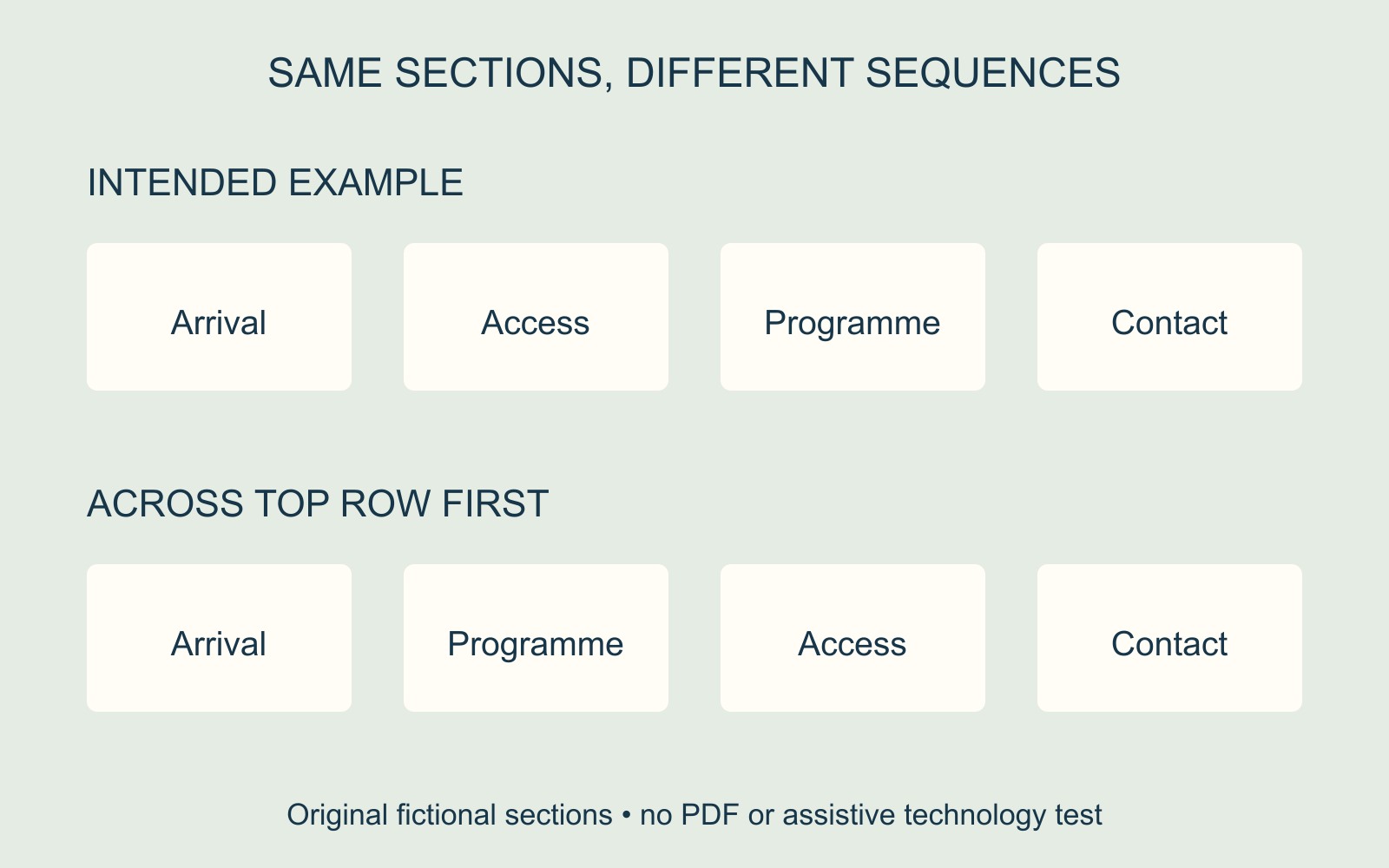
In a fictional visitor newsletter, the left column contains Arrival followed by Access. The right column contains Programme followed by Contact. The intended sequence might be Arrival → Access → Programme → Contact.
Reading across the top row first would produce Arrival → Programme → Access → Contact. The same four sections would still be present, but their relationship would change. Agree the intended sequence with the author rather than assuming every two-column page uses the same route.
The diagrams show that limited four-region example. They do not reproduce Acrobat, represent a supplied PDF or demonstrate a screen reader's output.
Ask for structure to be reviewed with the final file
Give the responsible document provider the affected page, its section names and the intended order. Ask for the relevant reading structure to be reviewed, including where captions or other intervening content belong. Keep an identifiable source and final version so the review refers to the right file.
If the PDF will accompany a business website project, include its intended readers and uses in the brief. Do not assume that uploading a visually finished PDF settles how its contents are encountered.
After revision, have the required reading routes checked on the exact final file. An unchanged page appearance can coexist with a structural correction; it cannot prove that correction occurred.
Source: Adobe linked above. No PDF was remediated or tested; the example does not establish accessibility conformance or a Time for Designs remediation service.